Iron Throne Modpack

Install the Modpack

Install the Iron Throne modpack with CurseForge or Technic Launcher, then connect to mc.ironthrone.cz.

CurseForge

Install with CurseForge

Recommended if you already use the CurseForge app and want to find the modpack directly in its catalog.

Download CurseForge
  1. Download and install the CurseForge app.
  2. Open the Minecraft section and switch to Browse.
  3. Search for Iron Throne and choose the result marked as Modpacks.
  4. Click Install or Play and wait for the app to prepare every file.
  5. Launch the modpack and connect to mc.ironthrone.cz in multiplayer.
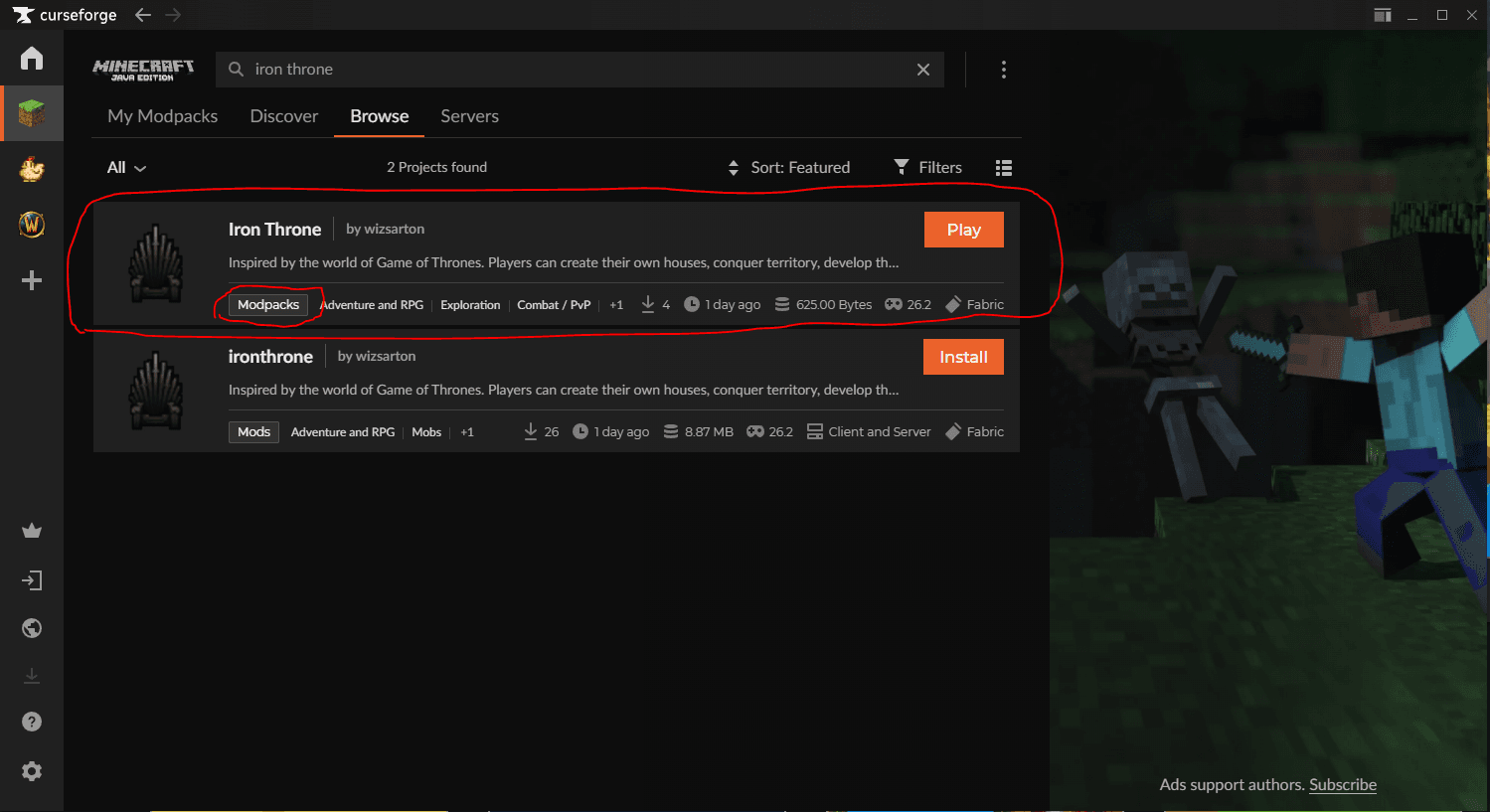
CurseForge app showing the Iron Throne modpack search result

Technic Launcher

Install with Technic Launcher

Use this route if you prefer Technic Launcher and want to install the server pack from modpack search.

Download Technic
  1. Download and install Technic Launcher.
  2. Sign in with your Minecraft account.
  3. Open Modpacks and search for IronThrone.
  4. Open the IronThrone server pack and click Install.
  5. Launch the modpack and connect to mc.ironthrone.cz in multiplayer.
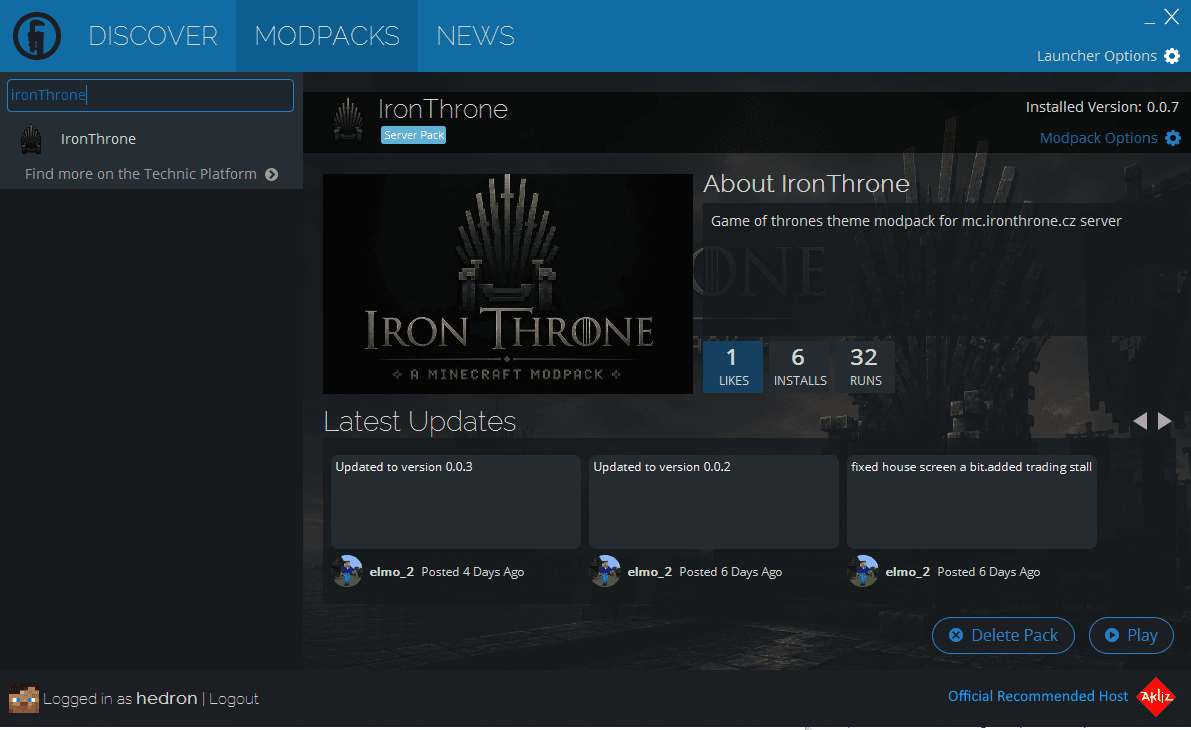
Technic Launcher showing the IronThrone modpack page